
UW CUBE

2023

Eatsy — enhancing meal planning
Improving meal planning to help users spend less time and effort on weekly prep.

Improving meal planning to help users spend less time and effort on weekly prep.

Type

App

Role

Visual design, wireframing, prototyping, usability testing

Tools

Figma, Miro, Rotato

Team

5 members (initially)

Type

App

Role

Visual design, wireframing, prototyping, usability testing

Tools

Figma, Miro, Rotato

Team

5 members (initially)

Overview

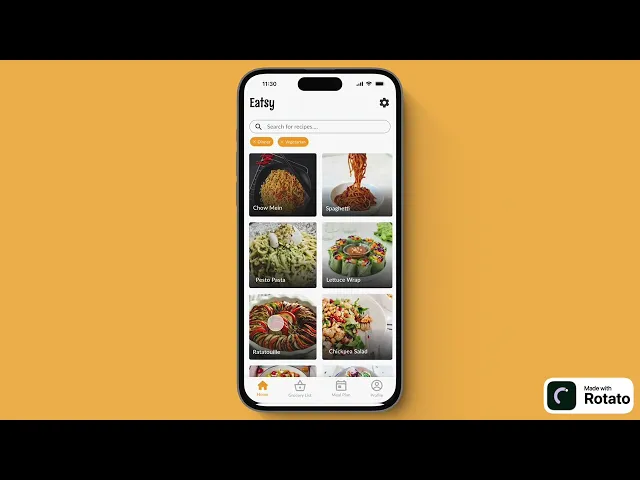
A sneak peek into the final product ;)

Overview

The task

As a team, we were tasked to tackle a problem that we thought was relevant in our lives. We decided to address student's issues when planning meals daily. However, when completing the final product I found myself to be unsatisfied with the level of user testing and visual design. I decided to work on its effectiveness and redesign key aspects of the app and conduct thorough user testing.

As a team, we were tasked to tackle a problem that we thought was relevant in our lives. We decided to address student's issues when planning meals daily. However, when completing the final product I found myself to be unsatisfied with the level of user testing and visual design. I decided to work on its effectiveness and redesign key aspects of the app and conduct thorough user testing.

Problem

The problem

Students have limited time and resources and struggle to effectively plan and prepare their meals.

Students have limited time and resources and struggle to effectively plan and prepare their meals.

User research

Gathering insights from students about their current meal planning methods

As a team we interviewed each people each and asked them various question regarding their current meal planning routines and preferences.

Exploration

90% of survey participants indicated an interest in exploring different cuisines

Uncertainty

80% of survey participants face uncertainty when deciding what to cook for a week's worth of meals

Misjudgment

70% of survey participants often purchase too much or too little of an ingredient when grocery shopping.

As a team we interviewed each people each and asked them various question regarding their current meal planning routines and preferences.

Exploration

90% of survey participants indicated an interest in exploring different cuisines

Uncertainty

80% of survey participants face uncertainty when deciding what to cook for a week's worth of meals

Misjudgment

70% of survey participants often purchase too much or too little of an ingredient when grocery shopping.

User persona

Getting a better picture of our users

After compiling key insights I created a user persona based on the goals, needs and points we observed in the interviews.

After compiling key insights I created a user persona based on the goals, needs and points we observed in the interviews.

Wireframes

Brain-dumping ideas that address user needs and pain points

Now that we had a good idea of our target users goals, needs, and pain points, we went ahead and began to brain dump and create some wireframes.

Now that we had a good idea of our target users goals, needs, and pain points, we went ahead and began to brain dump and create some wireframes.

Mid-fi

Kicking it up to mid fidelity

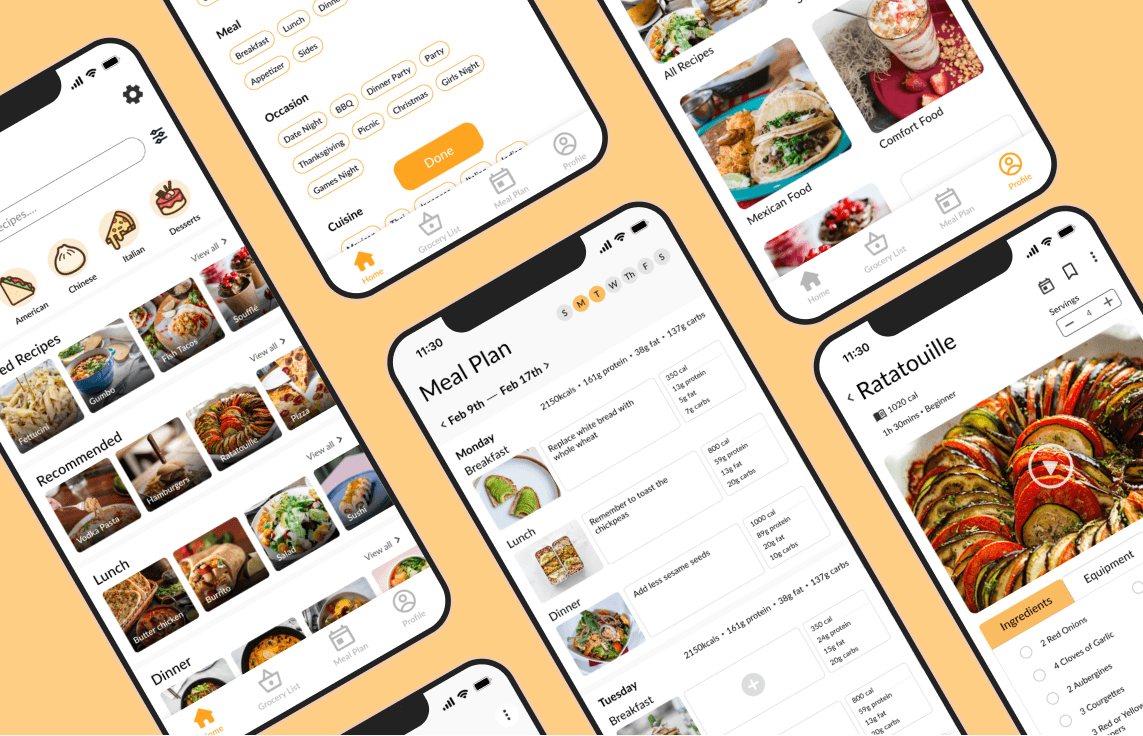
We went through everyone’s wireframes and picked out the parts we liked from each one, combining them to create a mid-fidelity mockup of our app.

We went through everyone’s wireframes and picked out the parts we liked from each one, combining them to create a mid-fidelity mockup of our app.

Design system

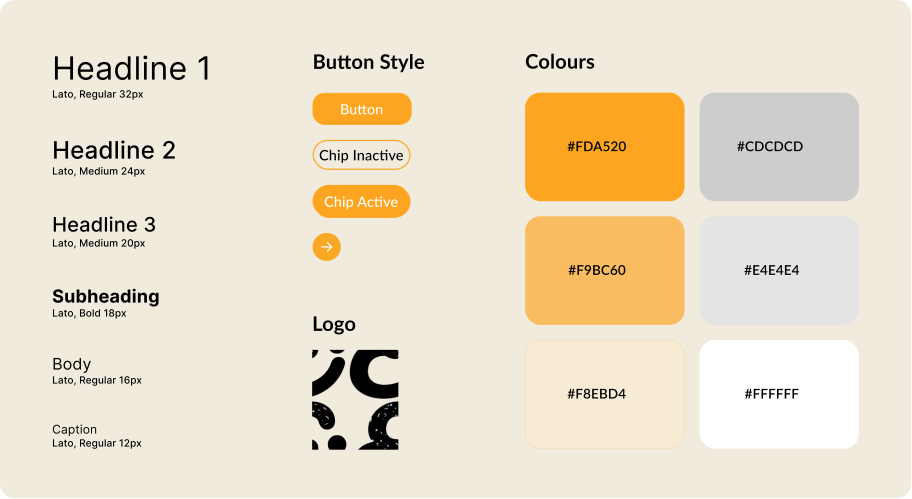
Creating a cohesive design system
Usability testing

User testing based on customer segmentation

This is where I decided to continue refining the app on my own and conduct user testing to redesign the UI. I tested the old UI we had landed on as a group with an adult, a university student, and a high school student. I asked them the following questions:

Questions asked:

  1. If you were looking to find recipes based on your preference where would you expect to find it?

  2. How was your experience of adding a recipe to your meal plan?

  3. Why did you do X or Z?

  4. What are your thoughts of on your overall experience in the app?

  5. What were some things you liked and disliked?

Things users liked:

  • Being able to see total macro nutrients in weekly meal plan.

  • The tip section on recipes.

  • The meal make user feel organized.

Things users disliked:

  • The navigation bar was confusing.

  • The buttons on the top of the recipe page were hard to find.

Questions asked:

  1. If you were looking to find recipes based on your preference where would you expect to find it?

  2. How was your experience of adding a recipe to your meal plan?

  3. Why did you do X or Z?

  4. What are your thoughts of on your overall experience in the app?

  5. What were some things you liked and disliked?

Things users liked:

  • Being able to see total macro nutrients in weekly meal plan.

  • The tip section on recipes.

  • The meal make user feel organized.

Things users disliked:

  • The navigation bar was confusing.

  • The buttons on the top of the recipe page were hard to find.

This is where I decided to continue refining the app on my own and conduct user testing to redesign the UI. I tested the old UI we had landed on as a group with an adult, a university student, and a high school student. I asked them the following questions:

Questions asked:

  1. If you were looking to find recipes based on your preference where would you expect to find it?

  2. How was your experience of adding a recipe to your meal plan?

  3. Why did you do X or Z?

  4. What are your thoughts of on your overall experience in the app?

  5. What were some things you liked and disliked?

Things users liked:

  • Being able to see total macro nutrients in weekly meal plan.

  • The tip section on recipes.

  • The meal make user feel organized.

Things users disliked:

  • The navigation bar was confusing.

  • The buttons on the top of the recipe page were hard to find.

Iterations

Iterating on layouts for a more intuitive experience for everyone

The icons at the top were difficult to see because they blended into the recipe photo, and users were unsure of what they did. The layout also didn’t work well for recipes that used a video instead of a photo as the main media.

The icons at the top were difficult to see because they blended into the recipe photo, and users were unsure of what they did. The layout also didn’t work well for recipes that used a video instead of a photo as the main media.

The icons at the top were difficult to see because they blended into the recipe photo, and users were unsure of what they did. The layout also didn’t work well for recipes that used a video instead of a photo as the main media.

All the important information is now at the top and placed on a high-contrast background, making it easier for users to see and understand. I also removed the basket feature since ingredients are automatically added to the shopping list once a recipe is scheduled. This layout also worked better for recipes that use either a photo or a video as their main media.

Some users had difficulty figuring out what each icon on the nav bar meant, they had to click each page to find out what it was.

All users can understand what the icons on the nav bar lead to.

Final design

Final designs and features :)

Detailed onboarding

Helps first-time users understand how the app works and get started with its main features.

Detailed onboarding

Helps first-time users understand how the app works and get started with its main features.

Discover recipes

Users can search for meals based on what they like and what they need. Filters help them find recipes that fit their dietary preferences or how much time they have.

Discover recipes

Users can search for meals based on what they like and what they need. Filters help them find recipes that fit their dietary preferences or how much time they have.

Save recipes

Users can save recipes they want to try later and plan them for specific meals. They can also see tips and photos from other users who have made the recipe in the past.

Save recipes

Users can save recipes they want to try later and plan them for specific meals. They can also see tips and photos from other users who have made the recipe in the past.

Automated grocery lists

Users can easily shop with a grocery list organized by ingredient type. They can add ingredients from their meal plan and manage their list as they shop.

Automated grocery lists

Users can easily shop with a grocery list organized by ingredient type. They can add ingredients from their meal plan and manage their list as they shop.

Meal plan

Users can plan their meals for the week and add notes as needed. Nutrition information is also shown for each meal.

Meal plan

Users can plan their meals for the week and add notes as needed. Nutrition information is also shown for each meal.

Save recipes & upload photos

Users can organize their saved recipes and also upload photos of the meals they make to keep track of their cooking journey!

Save recipes & upload photos

Users can organize their saved recipes and also upload photos of the meals they make to keep track of their cooking journey!

Takeaways

What I learned along the way

01

The importance of user testing

Understanding that not everyone shares my perspective underscores the significance of user testing. It was really interesting observing how other people would interact with the app, it puts into perspective how different everyone thinks.

02

Embracing iteration

Redesigning certain pages post-usability testing was both challenging and rewarding. While it felt a little tedious at times, witnessing the final product satisfying the user made it all worthwhile.

03

Communication

During the initial iteration of our app, team communication was lacking. I believe thats why the original app design didn't turn out well. Ensuring everyone is aligned on the design process is crucial.

Thanks for stopping by!

© 2026 Alita Thomas

Thanks for stopping by!

© 2026 Alita Thomas

Thanks for stopping by!

© 2026 Alita Thomas